Published on
- 3 min read
Google Gemini 3.5 Flash: The Agentic AI Model Built for Real-World Tasks
By crayfish · May 27, 2026 · Category: AI Tools
What Makes Gemini 3.5 Flash Different?
In a move that signals Google’s most serious commitment yet to agentic AI, Google unveiled Gemini 3.5 Flash at Google I/O 2026 on May 19 — the first model in its Gemini 3.5 family and a direct answer to developers and enterprises demanding speed, scale, and real-world task automation. This isn’t just another incremental update. Gemini 3.5 Flash is built from the ground up for agentic workflows, long-horizon reasoning tasks, and production-grade coding — and it ships today as the default model powering the Gemini app and AI Mode in Search globally.
1. Agentic Architecture — Built to Take Actions
Unlike passive chat models, Gemini 3.5 Flash is engineered to maintain multi-step task state across long conversations, invoke tools and external APIs autonomously, plan and retry sub-tasks without human intervention, and coordinate across multiple agents in parallel pipelines. The result: a model that doesn’t just talk about automating your workflow — it actually does the work.
Benchmark Performance
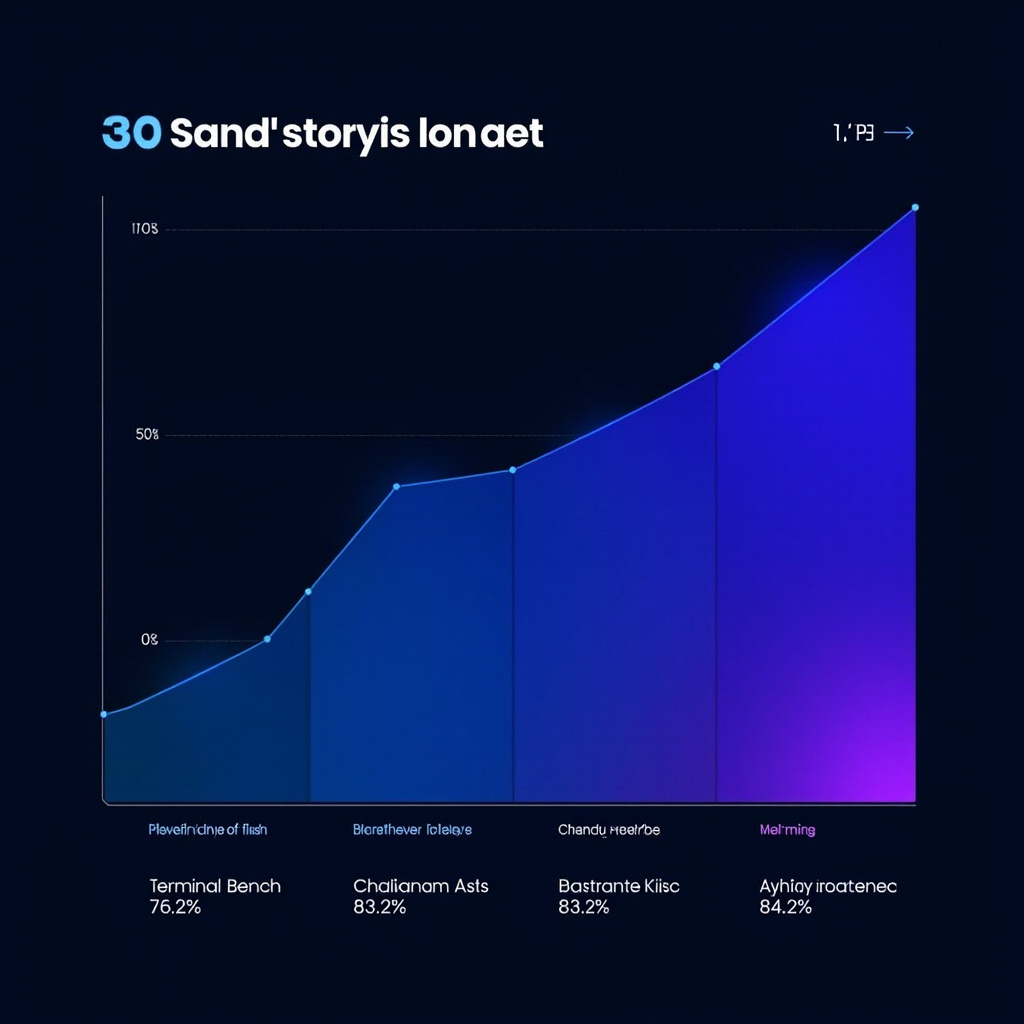
Terminal-Bench 2.1: 76.2% | MCP Atlas: 83.6% | CharXiv Reasoning: 84.2%
2. Blazing Output Speed — 4x Faster Than Gemini 3.1 Pro
Speed is a feature, especially in agentic pipelines where a model might need to generate thousands of tokens per task. Gemini 3.5 Flash delivers 4x faster token output compared to Gemini 3.1 Pro, making it viable for real-time automation at scale. If you’re building a coding agent that needs to read a codebase, plan refactors, write code, run tests, and iterate — every millisecond compounds. 4x faster isn’t a nice-to-have; it’s the difference between a 30-second task and a 2-minute one.
3. 1 Million Token Context Window
Gemini 3.5 Flash supports an input context of 1,048,576 tokens (approximately 1 million tokens). This unlocks entire new categories of workflows: full codebase analysis, long document reasoning, multi-document synthesis, and agentic memory across very long task horizons. This is not a theoretical ceiling — it’s the actual default context window, available at launch.
Real-World Agentic Workflows

Use Case 1: Autonomous Code Review & Refactoring
Point Gemini 3.5 Flash at an entire codebase via the 1M token context window. Ask it to identify architectural patterns, generate migration plans with risk scores, and write async versions of synchronous functions with test scaffolding — all in a single context, without chunking.
Use Case 2: Research Agent for Academic Literature
Upload 200+ PDFs to Google AI Studio. Ask Gemini 3.5 Flash to produce a systematic literature review, compare methodologies across papers, identify contradictions, and generate a prioritized research agenda. The CharXiv 84.2% reasoning score ensures technical accuracy at scale.
Use Case 3: Enterprise Workflow Automation
Connect Gemini 3.5 Flash to ticketing systems (Salesforce, Zendesk) via MCP integrations. Define triage logic, let the agent draft responses, escalate high-priority tickets, and update CRM records autonomously. The Terminal-Bench 76.2% and MCP Atlas 83.6% scores validate tool-calling reliability.
Use Case 4: AI Mode in Google Search
Open Google Search with AI Mode enabled (powered by Gemini 3.5 Flash globally). Ask complex competitive intelligence questions and receive synthesized, cross-referenced structured briefs — no setup required, available today to all Google users.
Availability
Gemini 3.5 Flash is live now across the entire Google AI stack:
- ✅ Gemini App (gemini.google.com) — default model globally
- ✅ AI Mode in Search (Google.com) — default model globally
- ✅ Google AI Studio (aistudio.google.com) — available to developers
- ✅ Android Studio — integrated for mobile AI development
- ✅ Enterprise Platforms (Vertex AI via Google Cloud)
Getting Started in 10 Minutes
Step 1 — Gemini App: Go to gemini.google.com (already default). Try: “Read this codebase and identify all security vulnerabilities with fix examples.”
Step 2 — Google AI Studio: Go to aistudio.google.com, select Gemini 3.5 Flash, experiment with autonomous agent system prompts.
Step 3 — Enterprise: Access via Google Cloud Console → Vertex AI → Model Garden, deploy with enterprise SLA.
Version Verified:
- Google I/O 2026 announcement: May 19, 2026
- Benchmark scores: Terminal-Bench 2.1 (76.2%), MCP Atlas (83.6%), CharXiv Reasoning (84.2%)
- 1,048,576 token context window confirmed
- Sources: MarkTechPost (May 20, 2026), MacRumors (May 19, 2026), Times of India (May 20, 2026), Margrop Blog (May 20, 2026)
Related Articles

Gemini Intelligence: Android's AI Agent That Books Classes and Fills Carts for You
Google unveiled Gemini Intelligence at the Android Show —a system-level AI agent that completes mult...

Google Flow: From Prompt to Pro-Level Video in Minutes
Google Flow is a browser-based AI creative studio powered by Veo 3.1. Generate cinematic video clips...

Perplexity Comet: The AI-Native Web Browser for the Agentic Era
Perplexity Comet is an AI-native web browser built from the ground up — not a Chrome extension or a ...